Digital code vs disc on PS5: a clear buying guide
Digital codes and discs both work on PS5, but they differ in storage, resale, delivery and pre-loading. This guide explains the trade offs in simple terms.
The short answer
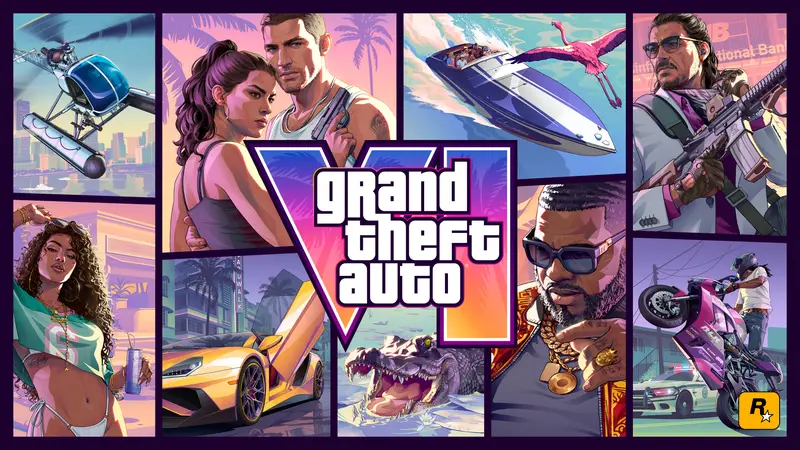
Grand Theft Auto VI on PS5 comes in two main buying formats. A disc is a physical item that you put into a PS5 with a disc drive. A digital code is a 12 character code that you redeem on the PlayStation Store. Both formats give you the game on PS5, but the way you store, share, and receive it is different.
A disc can feel simple because you own something you can hold. A digital code can feel simple because there is no box and no shipping. Neither choice is better for every player. The right choice depends on your console, your storage, and how you use your games.
If you are not sure, start with the console you own. A PS5 Digital Edition cannot use discs. A PS5 with a disc drive can use both formats. That one fact can make the choice much easier.
Storage: both formats use PS5 space
A disc game still needs space on your PS5. The console uses the disc to install files and to check that you own the game. The files live on your console storage, not on the disc alone. A digital code also downloads files to your console storage. Check the storage requirement on the PlayStation Store before you buy.
Storage can become tight if you keep many games installed. You can remove games you are not playing to make room. You can also check your PS5 storage settings to see what uses space. Do this before launch day so you are not stuck waiting.
A disc can be useful if you like to install and delete games often. A digital code can be useful if you do not want to change discs. Both choices still need room on your PS5. Plan your storage before you buy the game.
PS5 Digital Edition: no disc drive
A PS5 Digital Edition has no disc drive. If you own that console, a disc is not an option for you. You need a digital copy of the game. A digital code for GTA VI Standard Edition for PS5 can work on that console if the code region matches your account region.
If you own a PS5 with a disc drive, you can choose a disc or a digital code. The Digital Edition is built for digital games. That makes a code the natural choice. Just check the product page and your account before you pay.
A code does not need a disc drive. That is the main point for Digital Edition owners. You still need a PlayStation Network account and an internet connection to redeem and download. Check your account and region before you buy the code.
Resale and sharing
A disc is a physical item. In many cases you can sell it, lend it, or trade it after you finish. Check the game licence and local rules before you do. This can matter if you like to recover part of the cost or share games with friends.
A digital code is meant for your account. After you redeem it, it is not a physical item you can pass on. It is also not a disc you can put on a shelf. If resale or lending is important to you, a disc may be the better fit.
Some players keep discs for a collection. Some players like a clean library with no boxes. Both are fine. Think about what you want to do with the game after you finish it.
Delivery speed: code vs disc
A digital code does not need shipping. At LevelKeys, after your crypto payment is confirmed on the blockchain, the code is sent to your email and shown on your order page. Ethereum, Base, and Solana are often a few minutes. Bitcoin needs one block confirmation, often 10 to 30 minutes.
A disc depends on the retailer and the shipping service. Check the delivery estimate before you order. Weather, stock, and location can all play a part. A code can be faster if you want to start the download soon.
Payment speed can affect delivery. A crypto payment must be confirmed before the code is sent. Send the exact amount shown at checkout. Keep the order page open until the code appears.
Pre-loading and launch day
Pre-loading means you download a game before launch so it is ready when the release time comes. It depends on the store and the game. Not every digital game offers pre-loading. A disc may need an install after you get it, so check the details.
For GTA VI, check the PlayStation Store page before you plan. Look for pre-load details and the download size. A digital code can only be used when the store allows redemption. If you want to play at launch, plan around the delivery and download time.
A pre-load does not remove the need for storage space. The files still take room on your PS5. A stable internet connection helps with a large download. Start early if you want to play as soon as possible.
Region, account, and support
A code has a region. Your PlayStation account region must match the code region. Check this before you pay. If you use more than one account, choose the one that fits the code region.
If a code does not work, contact support@buygta6withcrypto.com with the order number. After a check, the code is replaced or refunded. Keep your order email and order number safe. Do not share your code before you redeem it.
A simple checklist before you buy
Ask yourself a few questions before you buy. Do you have a PS5 Digital Edition? How much free storage do you have? Do you want to sell or lend the game later? Do you need it on launch day?
If you want a physical item and the option to resell, a disc can fit. If you want fast delivery and no shipping, a digital code can fit. Check the region and your account before you pay. Check the storage and pre-load details before launch.